
Best Web Hosting for SEO: A Tactical Buyer’s Guide to Rank Faster in 2025

Stop letting slow servers and downtime sabotage your rankings—pick hosting that actually improves SEO.
- Understand how speed, uptime, and security affect Google rankings.
- See a side-by-side comparison of SEO-friendly hosts and who they’re best for.
- Follow a practical checklist to configure caching, SSL, CDN, and Core Web Vitals.
- Choose confidently whether you’re a blogger, small business, or an agency.
Get Started Now Read on to see what matters, compare top options, and grab my exclusive Hosting.com (formerly A2) discount.
VIDEO: STOP! Don’t Choose a Web Host Until You See This (2025 SEO Guide)
 Best web hosting for SEO starts with choosing a provider that delivers measurable speed, near-perfect uptime, strong security, and knowledgeable support—because Google evaluates more than just your content.
Quick reality check: if your server is slow, unstable, or misconfigured, every on-page improvement is fighting uphill. I’ve seen it repeatedly in 15+ years of SEO and funnels—the right host becomes a ranking accelerant; the wrong one quietly suppresses visibility and conversions.

The Core Problem: Biased “Top 10” Lists and Overwhelm
You’re weighing reviews, speed claims, and vague “SEO hosting” buzzwords, but you still don’t know which plan will actually move the needle. The solution isn’t brand hype—it’s a short, objective checklist you can verify: server speed, uptime, SSL/security, scalable resources, and responsive support. Nail these, and rankings get easier.
For deeper strategy on turning rankings into revenue, see SEO for Affiliate Marketing: The Definitive Guide.

What to Measure (Stats & Data Framework)
- Speed & Core Web Vitals: Server choice sets your baseline. Faster time-to-first-byte and optimized stacks (LiteSpeed/NGINX, HTTP/3, PHP 8+) make CWV wins achievable.
- Uptime & Reliability: Frequent micro-outages erode trust signals. Aim for 99.9%+ uptime with transparent monitoring.
- Security & Backups: HTTPS is table stakes. Look for automatic SSL, WAF-style protections, malware scanning, and daily backups.
- Scalability & Support: Smooth upgrades (shared → VPS → cloud), region-appropriate data centers, and 24/7 support that actually understands caching and indexing.

Step 1 — Speed: Win Core Web Vitals Before You Publish
Your host determines whether CWV is a struggle or a layup. Here’s how to evaluate speed without guesswork:
- Stack: Prefer LiteSpeed or optimized NGINX with full-page/object caching support.
- Storage: SSD/NVMe over HDD—no contest.
- Protocol: HTTP/3 + TLS 1.3 for latency gains.
- CDN: One-click CDN reduces global latency; look for easy integration.
- PHP: Latest stable PHP 8.x and OPcache.
Practical example: Hosting.com (formerly A2) “Turbo” plans pair LiteSpeed with aggressive caching—ideal for WordPress blogs and affiliate sites that live or die by speed. Pair that with an image-lazy-load plugin and you’ll see immediate improvements.
New to WordPress? Start here: Start a Blog: Step-by-Step WordPress Guide.
Step 2 — Uptime, SSL & Trust: Don’t Vanish During Crawls
Uptime affects crawling and user trust. If the bot visits during downtime, the crawl is wasted. Multiply that, and performance dips—even when content is great.
Non-negotiables:
- 99.9%+ uptime with status transparency
- Free, auto-renewing SSL (HTTPS everywhere)
- WAF-style security, DDoS mitigation, malware scanning
- Daily offsite backups and one-click restore
When to go premium: If you run revenue-critical or high-traffic sites, a managed provider (e.g., Kinsta or WP Engine) is worth it for staging, proactive security, and expert support.
Planning a local or directory-style project? This build guide pairs well with reliable hosting: Business Directory Website.

Step 3 — Scalability & Support: Grow Without Crashing Your Rankings
Success should not break your site. Ensure your host lets you scale resources without migration drama, offers data centers near your audience, and provides 24/7 support that can actually solve caching, CDN, and indexing problems.
Scale checklist:
- Simple path from shared → VPS → cloud without downtime
- Multiple data center options or edge-accelerated CDN
- Ticket/chat response within minutes, not hours
- Staging sites for safe updates (critical for WooCommerce and funnels)
As traffic rises, measure the business impact. These KPIs help you tie performance to revenue: Sales Funnel Metrics That Matter.
Step 4 — Server Location, CDN & Architecture: Be Close (Everywhere)
Latency kills experience. Choose a data center close to your primary audience and add a CDN for everyone else. For global audiences, a premium managed host with strong CDN partnerships can reduce complexity and improve stability during spikes.
- Local targeting: Choose a nearby data center first, then layer a CDN.
- Global targeting: CDN is mandatory; also consider premium DNS.
- Architecture: Keep themes/plugins lean; avoid heavy page builders on weak servers.
Need help picking a profitable niche to match your hosting scale plan? Start here: Niches with Low Competition and Best Affiliate Marketing Niches.

Provider Comparison (At-a-Glance)
| Provider | Speed Features | Uptime & Security | Best For |
|---|---|---|---|
| Hosting.com (formerly A2) | LiteSpeed/Turbo, SSD/NVMe, HTTP/3, WP optimizations | Free SSL, proactive protections, daily backups | Bloggers, affiliates, fast WordPress on a budget |
| SiteGround | Managed WP stack, CDN add-ons, smart caching | 99.9%+ uptime, strong support, automated backups | Small businesses needing reliable growth |
| Kinsta | Google Cloud, premium CDN, staging environments | Enterprise-grade security, resource isolation | Agencies, SaaS, global audiences |
| WP Engine | EverCache, staging, performance tooling | WAF, SSL, threat detection | eCommerce, high-traffic WordPress |
(Image – keywords: “clean comparison table on laptop desk, minimal icons”)
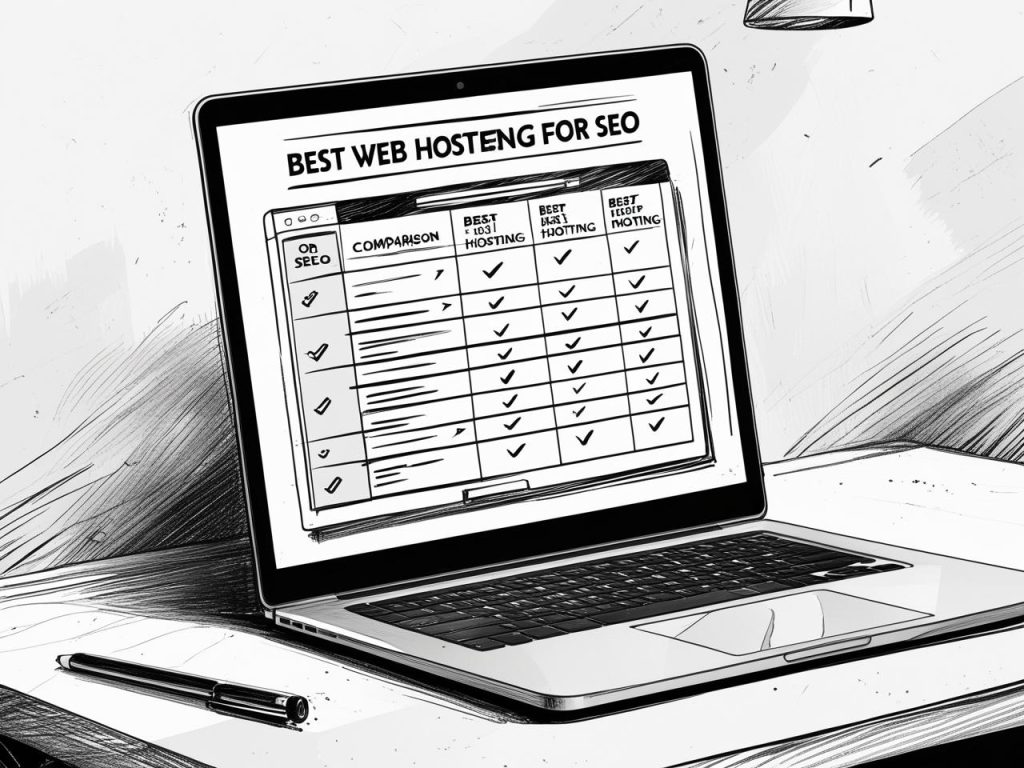
Quick Recommendations by Use Case
- Beginners/Bloggers/Affiliates: Hosting.com (formerly A2) for the best speed-to-price ratio and easy WordPress wins.
- Small Businesses: SiteGround for reliability, backups, and responsive support.
- Agencies/High-Traffic Stores: Kinsta or WP Engine for performance at scale and safer deployments.
Pair the right host with a clear content plan and offer strategy. If you’re refining your monetization model, these posts will help: How to Find a Niche Product to Sell Online and Creating Lead Opt-in Pages that Convert.

Implementation Checklist (Copy/Paste This Into Your SOP)
- Pick your host based on the use-case list above.
- Choose a nearby data center (or the majority of your audience) and enable the CDN.
- Install WordPress and switch to a lightweight theme; avoid plugin bloat.
- Enable full-page/object caching and browser caching via your host or a reputable plugin.
- Upgrade to PHP 8.x and enable OPcache.
- Turn on free SSL (auto-renew) and force HTTPS in your CMS.
- Compress and lazy-load images; use WebP where possible.
- Minify/inline critical CSS & defer JS (plugins or host tooling).
- Set up daily backups and test one restore so you trust the process.
- Run Lighthouse on key templates and fix anything in the red.
- Add server-level redirects (www/non-www, http→https) and HSTS.
- Monitor uptime with a free checker; investigate any repeated dips.
When your performance improves, your funnel KPIs should reflect it. For a practical analytics approach, read Sales Funnel Metrics That Matter.

Lessons From the Trenches (15+ Years)
As Trevor Bart—Internet Marketing Specialist—I’ve watched hundreds of sites plateau because of hosting. Three truths keep showing up:
- The server is your ceiling. You can’t out-optimize a slow, unstable environment.
- Managed beats piecemeal at scale. As complexity grows, so does the value of specialists (security, staging, expert support).
- Simple stacks win. Lightweight themes, disciplined plugins, and server-level caching beat “feature-stuffed” every day of the week.
Build your content and offers on a stable, fast base. To expand your plan, explore Mastering the Art of Affiliate Marketing and Funnel Website Mastery.

Final Verdict: Choose With Confidence
For most bloggers and affiliates, you’ll get outstanding speed-per-dollar from Hosting.com (formerly A2). Small businesses often prefer SiteGround’s balance of reliability and support. If you’re running mission-critical stores or agency portfolios, step up to Kinsta or WP Engine for managed performance at scale.
After you decide, configure your stack using the checklist above and then keep improving content and internal links (start with your cornerstone pieces like the SEO for Affiliate Marketing Guide and your Best Affiliate Niches hubs). That’s how you stack advantages.
Bottom line: pick a host that makes speed, uptime, and security non-issues—so your content strategy can do its job.

Next Steps
- 👉 Lock in your SEO-ready hosting: Claim the Hosting.com (formerly A2) discount.
- 📥 Download the free “SEO Hosting Checklist” (set your download link here).
- 🎥 Watch the quick setup training on configuring caching, CDN, and SSL (add your video link here).
The smartest, lowest-friction way to grow rankings and conversions is to start with the best web hosting for SEO.
Leave a Reply
You must be logged in to post a comment.